EVERY TOOL, IN ONE PLACE

Everything Vissulo
can do.

Depth, light, AI, adjust, looks, beauty, transform, create and RAW - the full studio, written out tool by tool.
RelightDSLR FocusFace LightMixed looksOn-device AIWhatsApp stickersAndroid & iOS7 days free
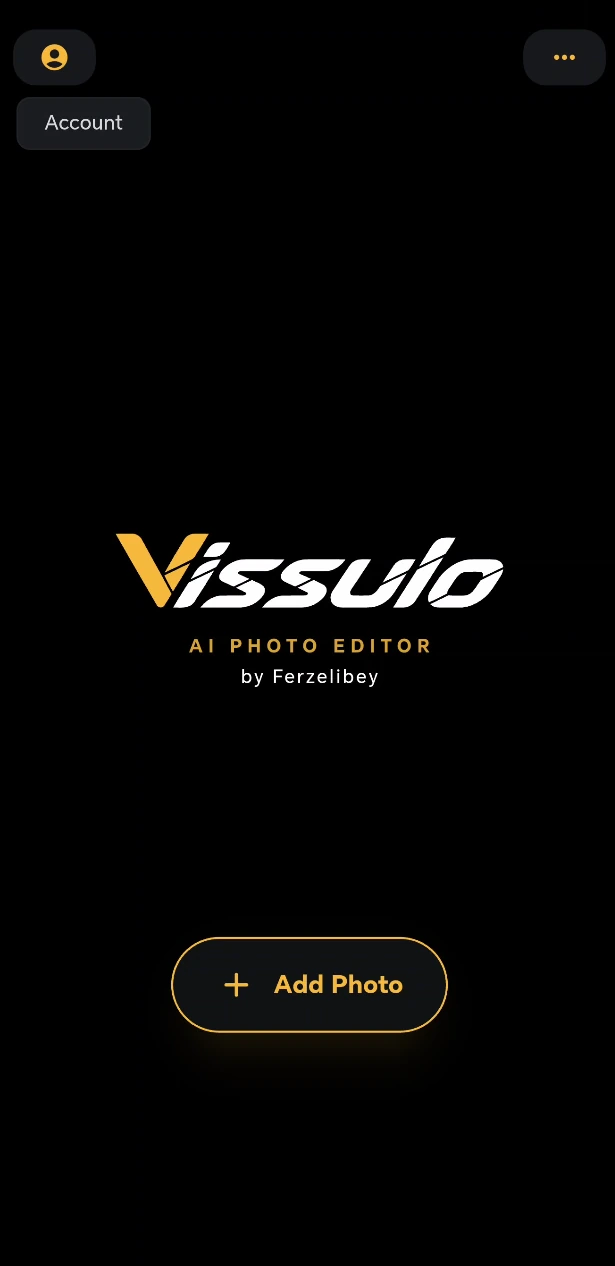
Vissulo home screen
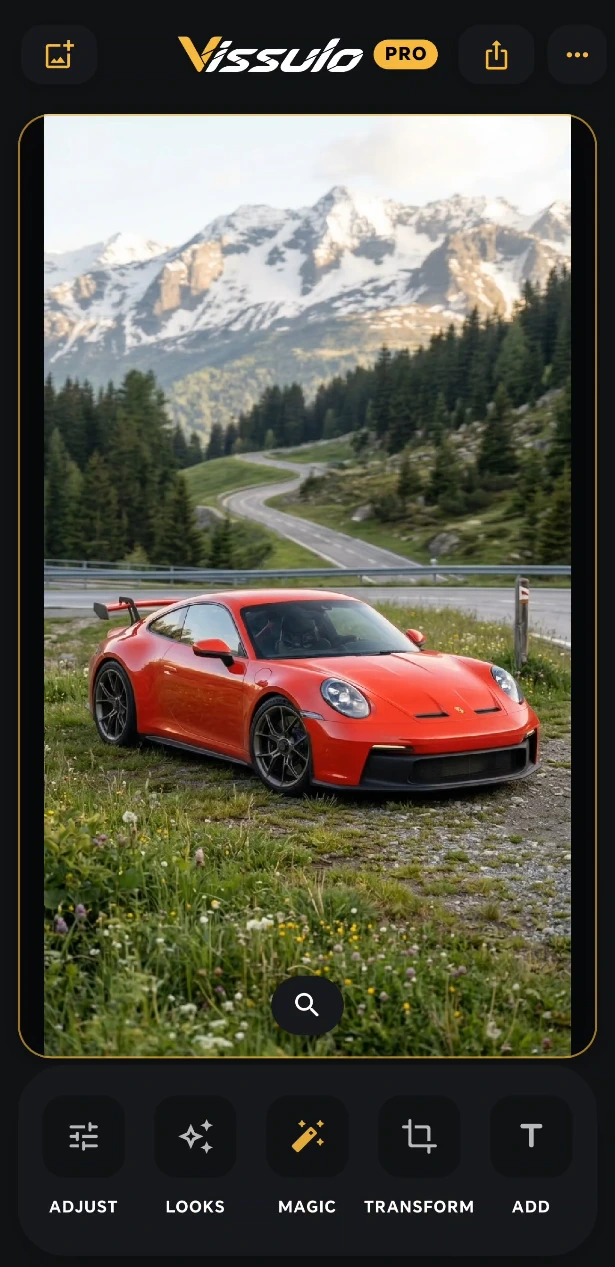
Vissulo editor with Adjust, Looks, Magic, Transform and Add
Relight
DSLR Focus

MORE INSIDE THE STUDIO

More ways to start.
More room to make it yours.

Start with a recipe, build a composition or find the exact tool you need. The studio keeps the next step close.

Collage, expandedCombine 2 to 16 photos with grid, geometric and scrapbook layouts. Adjust spacing, margins, corners and backgrounds, then swap photos without losing their crop.
Mixed looksA new family of layered looks joins the filter library. Find a direction, adjust its intensity, mark your favourites and return to saved looks.
Preset studiosExplore Adjust recipes such as Natural, HDR, Night and Golden Hour, dedicated Looks Studio grades, AI presets and Add composition templates. Keep refining the result by hand.
A fresh canvasStart with a blank canvas, choose a familiar aspect ratio and set a background colour or transparency. Paint, text and image layers can start without a photo.
Find your toolSearch the editing toolkit in one place. Keep favourite tools close and return to recently used tools without hunting through every menu.
Made for your next editScene-aware suggestions offer a starting point for the photo in front of you. Export JPG or PNG, with transparent PNG for cutouts and transparent canvases.

01 / DEPTH & LIGHT

Three tools.
All in one editor.

Scene light, depth-of-field and portrait light are three separate tools here, not one filter pretending to be all three.

Relight

Reposition the light source in a finished photo, then shape the result.

  • Light direction
  • Intensity
  • Softness
  • Depth-aware falloff across the scene

DSLR Focus

Rebuild depth-of-field from AI scene depth so a phone photo reads like a fast lens.

  • Focal plane selection
  • Depth-aware falloff
  • Subject separation
  • Live preview while you tune

Face Light

A dedicated light for the face, separate from scene Relight and living inside Beauty Studio.

  • Face brightening
  • Direction pad
  • Temperature
  • Softness and ambient balance

02 / AI TOOLKIT

On-device AI.
Your photo stays put.

Every AI tool below runs locally on your device - no upload, no queue, and a result you can keep editing by hand.

AI preset studioColor Splash, Neon Rim, Studio Spotlight, Depth Fog and Night Rescue
Multi-light RelightAdd and position separate lights, tune each light and explore optical flare styles in the unified Relight panel
AI BlurPortrait-style background softness with automatic subject separation
AI SelectTap a subject or object and tune it, without tracing a mask
AI CutRemove the background for transparent images and layered edits
AI BoostLift the main subject with intelligent brightness and detail
UndarkBring visibility and detail back to dark or underexposed photos
NoiseOFFReduce grain and low-light noise
AI UpscaleRaise resolution while recovering cleaner edges and finer detail
Upscale modesFast, 2× and 4×, on supported devices
DSLRDepth-driven focus and bokeh from AI scene depth
RelightMove the light in the scene after the shot

03 / ADJUST

The manual toolkit.
Nothing hidden behind AI.

Manual adjustment tools and preset recipes, including the deep ones - Curves, Color Mix, Selective and Color Grading.

PresetsNatural automatic enhancement, HDR, BW Classic, BW Dramatic, Night, Sunny Day, Golden Hour and Soft Portrait
SavedYour saved adjustment recipes
ExposureOverall brightness of the frame
BrightLifts or darkens the midtones
ContrastTonal separation between light and dark
HighlightsRecover or boost the brightest areas
ShadowsRecover or boost the darkest areas
AmbianceHDR-like fill light across the image
FadeMatte lift of the blacks
SaturationGlobal colour intensity
VibranceSmart colour boost that protects skin
WarmthCool to warm balance
TintGreen to magenta balance
Sky WBSkylight white balance correction
Color MixEight colour bands - Red, Orange, Yellow, Green, Aqua, Blue, Purple, Magenta - each with Hue, Saturation and Luminance
Color GradingShadows, Midtones and Highlights with Hue, Saturation and Luminance, plus Blending and Balance
SharpEdge sharpening
ClarityMidtone micro-contrast
StructureLocal detail and texture
DehazeRemoves haze and atmospheric wash
SelectivePoint masks with Brightness, Contrast, Saturation, Structure, Blur and Mosaic, plus Radius and Feather
CurvesFull RGB, Red, Green and Blue curve editor

Effects

Eight finishing effects, with their own sub-controls.

VignetteAmount, Midpoint, Feather, Roundness and Highlights
GrainAmount, Size and Roughness
GlitchDigital, Scan and VHS styles
B&WMono conversion
FoliageEnhances greens and vegetation
Lens DistortionBarrel and pincushion correction
Anti VignetteRemoves the lens vignette
ChromaColour fringing removal

04 / LOOKS

Find your look.
Plus leaks, overlays and LUTs.

Mixed looks, the Vissulo and CINE families, Looks Studio presets, thirty light leaks, ten overlays, external LUT import and saved presets.

Mixed looksLayered looks in the expanded catalogue, alongside favourites and scene-aware recommendations
Looks StudioDedicated preset grades with editable intensity, plus saved looks
FiltersAn expanded catalogue with Mixed looks and adjustable intensity
AtelierSignature grades and portrait looks
Vissulo8 house looks: Viscine, Vispure, Visopal, Visslate, Visfern, Visember, Visnoctis and Visnomad
CINE4 cinematic grades - Cine 01, Cine 02, Cine Warm, Cine Cool
CinematicCinematic grades and Looks Studio presets
FilmFilm-inspired Looks Studio presets
B&WMonochrome presets and the B&W finishing effect
Mood3 atmospheric looks
Nature5 outdoor looks
Selective8 colour-selective looks, plus Invert
Light Leaks30 leaks - 10 overlays and 20 parametric
Overlays10 textures: Silk Mist, Rain Glass, Champagne Bokeh, Prism Ribbon, Botanical Light, Water Caustics, Frosted Edges, Pearl Diffusion, Velvet Smoke and Crystal Facets
LUTImport your own .cube LUT
PresetsSave any look and reapply it later

05 / TRANSFORM

Straighten the frame.
Then keep going.

Geometry tools that stay visual - including an Auto horizon that levels the shot for you.

CropFree crop plus fixed aspect ratios, in a fullscreen editor
RotateRotate the frame in 90° steps
StraightenLevel the horizon by hand, or tap Auto to let Vissulo find it
Flip HMirror horizontally
Flip VMirror vertically

06 / BEAUTY STUDIO

A portrait studio,
person by person.

Beauty Studio analyses the photo on-device, finds each person, and lets you edit them individually - which is what makes it usable on group photos, not just selfies.

Retouch

AutoOne-tap automatic retouch
SmoothSoften and smooth skin texture
ToneWarm or cool the skin tone
Under-EyeReduce dark circles and eye bags
TeethWhiten teeth and brighten the smile
HealBrush out spots and imperfections, with a size control

Makeup

LipsVirtual lipstick and gloss - Natural, Matte, Satin and Gloss finishes
EyeshadowColour on the eyelids and crease
BlushSoft blush on the cheekbones
ContourSculpt the cheeks and jaw
HighlighterGlow on the facial highlights
BrowsTint and fill the eyebrows
Iris ColorChange the iris colour, with 12 named swatches

Face Light

Face LightRelight the selected face on its own
DirectionMove the light around the face with a direction pad
TemperatureWarmer or cooler face light
SoftnessHard to soft edge on the light
AmbientFill light around the face

Hair

ColorRecolour hair while keeping its natural texture
BrightBrighter or darker hair
ContrastMore depth in the hair
SaturationRicher hair colour
WarmthWarmer or cooler hair
ShineEnhance the natural hair highlights

Face reshape

Twenty-six controls across five groups.

FaceSlim, Length, Jaw, Chin, Sharp, Forehead
EyesEnlarge, Round, Distance, Corner, Tilt
BrowsHeight, Arch, Gap, Tilt
NoseAlar, Length, Bridge, Tip
LipsPhiltrum, Width, Upper, Lower, Cupid's bow, Smile, Tilt

Body reshape

All BodySlim or widen the whole body in one move
SlimBody-slim preset across waist and thighs
HeadResize the head relative to the body
NeckAdjust neck length
Neck WidthAdjust neck width
ShouldersAdjust shoulder width
SquareSquare up the shoulder slope
ChestSlim or expand the chest
ArmsSlim or widen the arms
WaistSlim or widen the waist
BellySlim or expand the belly
HipsAdjust hip width
LegsSlim or widen the legs
ThighSlim or widen the thighs
CalfSlim or widen the calves
LengthenLengthen the legs
StretchStretch overall height

Warp - Manual

Five brush modes, with intensity and brush size.

PushPush pixels in the direction you drag
PinchPull pixels inward
BloatExpand an area outward
SmoothRelax and soften an area
FreezeProtect an area from the other brushes
IntensityHow strongly each stroke applies
SizeBrush diameter

Warp - Semi-Auto

Its own tool, sitting next to Manual. Position, resize and rotate the guide, then adjust intensity.

TallHeight guide
SlimWidth guide
HeadHead guide
BreastsChest guide
WaistWaist guide
HipsHip guide

07 / ADD

Add anything.
Keep it editable.

The Add workspace builds on top of your photo with real layers. Nothing is flattened until you decide it is finished.

Composition presetsEditorial, Cinema, Instant, Postcard, Runway, Gloss, CinePoster and Neon Vice, built from editable layers
TextText layers with full styling
EmojiAn emoji picker that drops in as its own layer
StickerDrop a sticker from My Stickers onto the canvas as its own layer
Sticker CreatorCut your own stickers with freehand, polygon, circle, square or full-image selection
AI Cut stickerCut a subject out with AI and save it straight to My Stickers
ImageAdd photos as image layers
PaintBrush and eraser on a photo or a clean white canvas
CollageLayout templates with spacing, margins, corners, ratio and background, then flatten
LayersBlend modes, ordering, duplication, visibility and deletion
WhatsApp packSend your sticker set to WhatsApp as a real sticker pack

08 / RAW DEVELOP

Start earlier.
Finish exactly.

A dedicated RAW development stage before the main editor, with its own tonal range and white balance controls. RAW decoding happens on your device.

FormatsDNG, CR2, CR3, NEF, ARW, RAF, ORF, RW2 and PEF
CamerasCanon, Nikon, Sony, Fujifilm, Olympus, Panasonic, Pentax and Adobe DNG
AutoAutomatic RAW development
ExposureOverall RAW exposure
HighlightsRecover the brightest tones
ShadowsOpen up the darkest tones
WhitesSet the white point
BlacksSet the black point
ContrastTonal separation
ClarityMidtone micro-contrast
StructureDetail and texture
VibranceSmart colour boost
SaturationColour intensity
TemperatureWhite balance in Kelvin
TintGreen to magenta balance
White balanceAs Shot, Auto, Sunny, Cloudy, Shade, Tungsten, Fluorescent, Flash, or pick the neutral point yourself

09 / PRIVACY

The photo stays closer.
So does the edit.

Core AI processing happens on your device, not on a server. Your photo is not uploaded for core AI tools. With Pro or an active trial the whole workflow - import, edit, export - keeps working offline.

PlatformAndroid and iOS
RequiresAndroid 11.0+ · iOS 15.5+
Trial7 days free
PlansMonthly, yearly and lifetime Pro
Free useA large part of the studio, including the manual toolkit and many AI tools, is available without a purchase
On-device AIYes - selection, cutout, blur, denoise, low-light recovery, upscale, depth and portrait analysis
OfflineFull import, edit and export with Pro or during the trial
Watermark-free exportIncluded with Pro and during the trial
AccountOptional - only needed for purchases or redeeming a code
RAWDNG, CR2, CR3, NEF, ARW, RAF, ORF, RW2 and PEF, developed on-device before the main editor

QUESTIONS

What is Relight?+

Relight lets you reposition the light source in a photo after it was taken, then tune direction, intensity and softness. It runs on-device.

What is DSLR Focus?+

DSLR Focus rebuilds depth-of-field from AI scene depth. You choose the focal plane and shape the falloff, so a phone photo can read like it came from a fast lens.

Is Face Light the same as Relight?+

No. Relight moves the light for the whole scene. Face Light is a separate tool inside Beauty Studio, dedicated to the face: brightening, direction, temperature, softness and ambient balance.

Can Vissulo make WhatsApp stickers?+

Yes. The Sticker Maker cuts stickers from your own photos and saves them to My Stickers. Vissulo then sends the set to WhatsApp as a real sticker pack, which appears in your WhatsApp sticker tray.

How many filters are there?+

An expanded filter library with Mixed looks, plus Looks Studio presets, 30 light leaks, 10 overlays, external LUT support and saved presets.

Which RAW formats does Vissulo open?+

DNG, CR2, CR3, NEF, ARW, RAF, ORF, RW2 and PEF - covering Canon, Nikon, Sony, Fujifilm, Olympus, Panasonic, Pentax and Adobe DNG files. RAW decoding happens on-device, and the developed result goes straight into the main editor.

Does Vissulo work offline?+

Yes. Vissulo works offline for Pro subscribers and Lifetime owners. You can import, edit and export photos without an internet connection.

Is there a free trial?+

Yes - 7 days free, then your chosen plan. You can cancel before the trial ends.

Do I need an account?+

No. You can edit without creating an account. Sign-in is optional and only needed for purchases or redeeming a code.

START WITH 7 DAYS FREE

Move the light.
Rebuild the depth.

Android and iOS · Choose your platform.